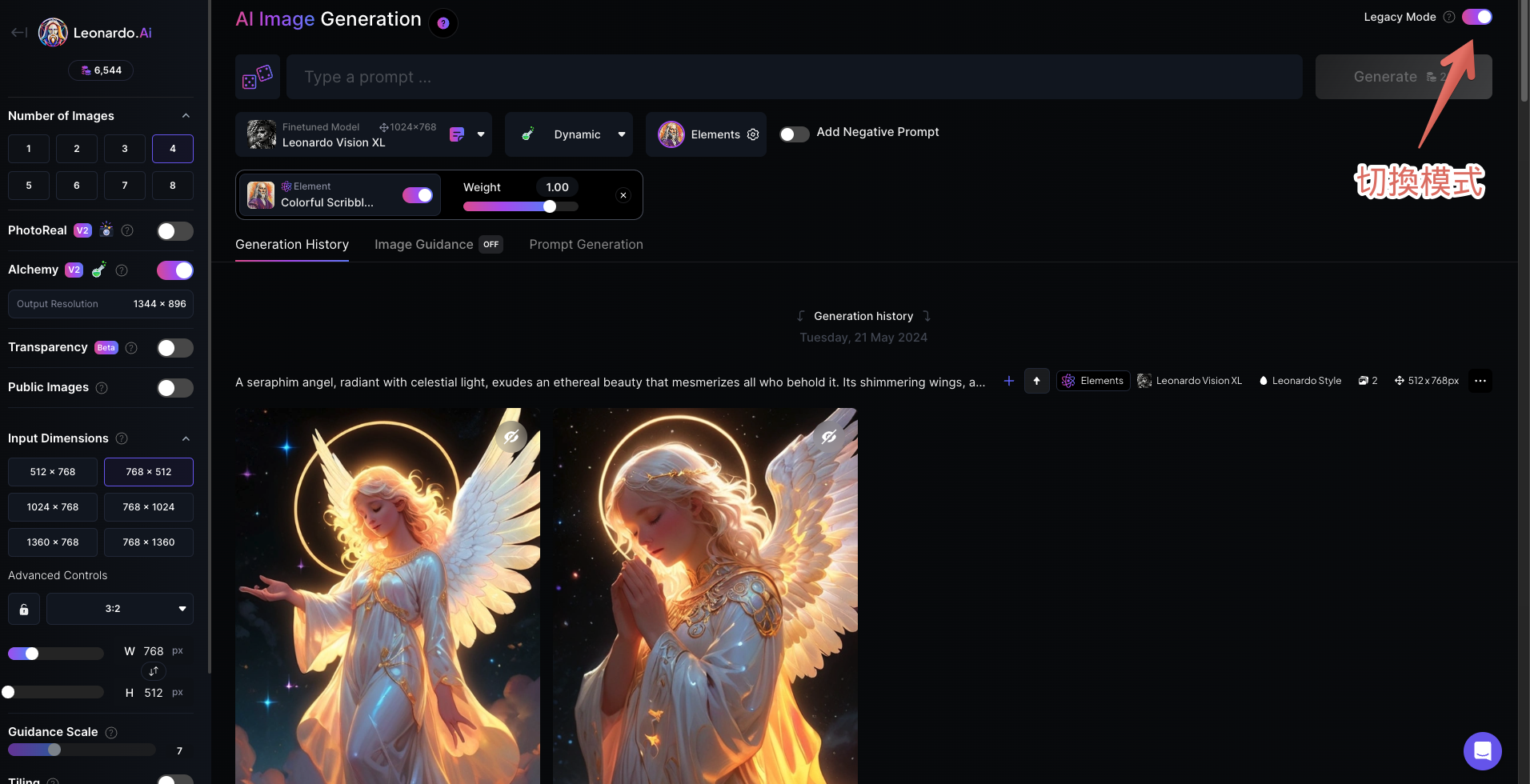
Leonardo.Ai 於2024年5月25日優化推出了「Image Generation V2」,建議閱讀本文時,在介面右上角點選『Legacy Mode』切換至V1進行操作喔!
文字提示詞(Prompt)的組成要點
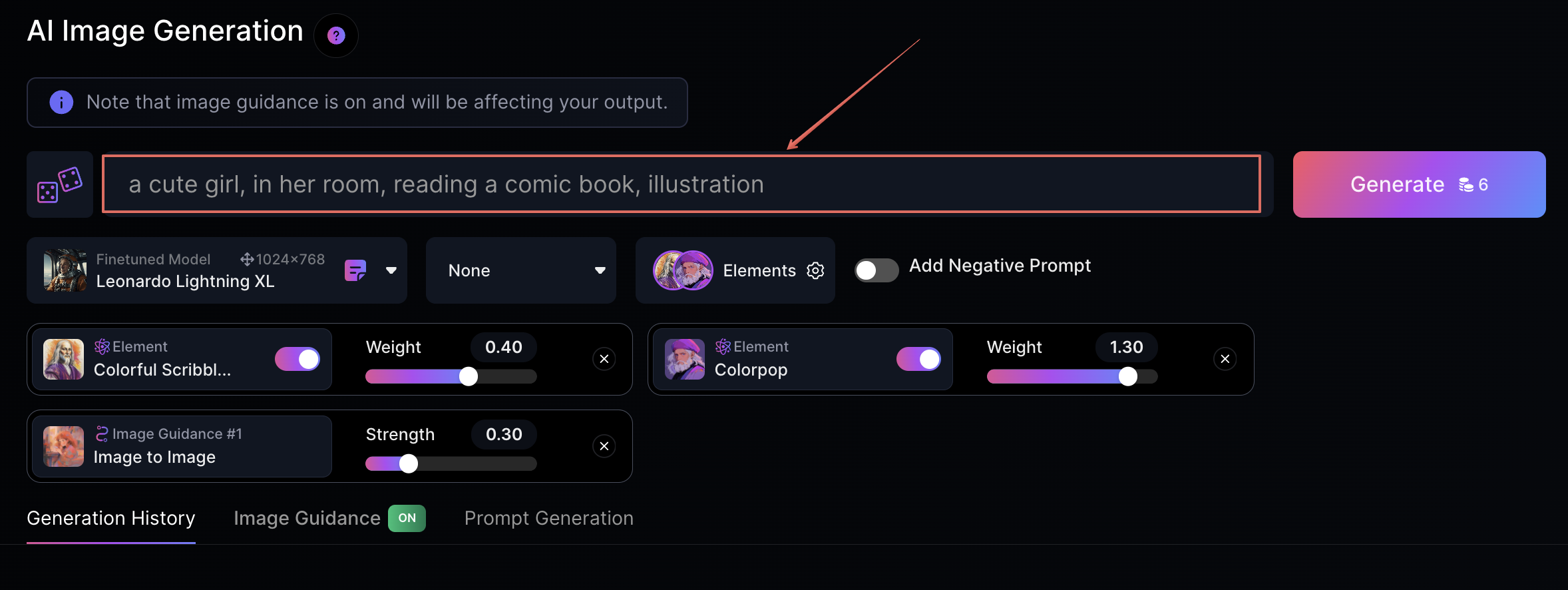
- 輸入結構:將每組提示詞以空格隔開,如同寫英文句子一樣,不同組的提示詞之間用逗號分開。例如:
a cute girl, in her room, reading a comic book, illustration
- 組織順序:提示詞的順序通常影響重要性,越前面的詞會成為主題,越後面的詞通常作為背景或輔助效果。
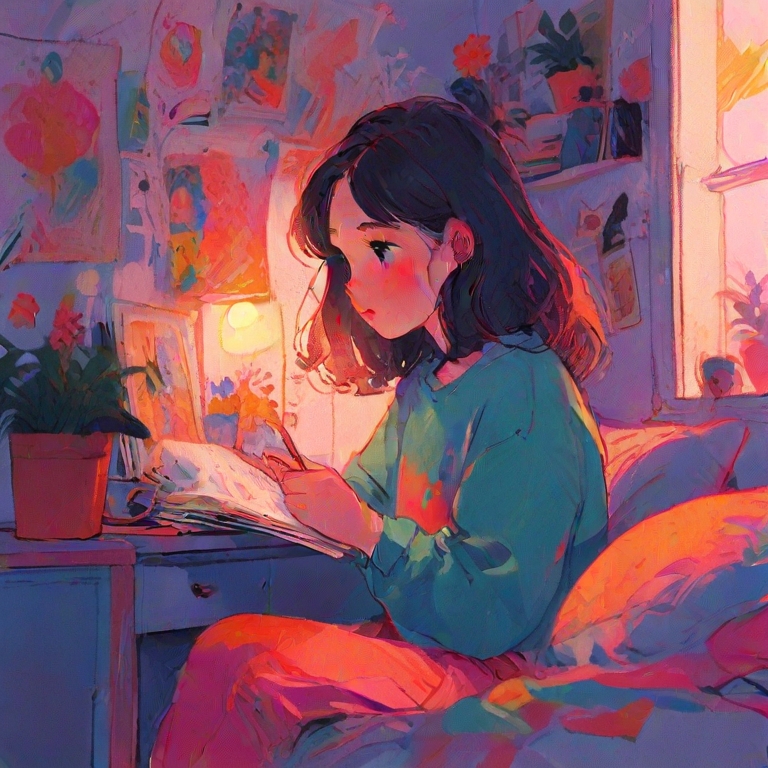
注意提示詞的「數量」與「長度」
- 提示詞數量:建議不要過多或過少,保持平衡。過少的詞會讓AI過度自由想像,而過多的詞可能導致主題模糊,所以適度的拿捏非常重要,可以多嘗試幾次。
- 上限限制:Stable Diffusion系統對提示詞有75個詞的上限,Leonardo.Ai很可能也有這類的限制。
以這段提示詞為例
a cute girl with short brown hair, wearing a bright red sweater, in her cozy, well-lit room, reading a colorful comic book, cartoon-style illustration
【提示詞分析】
- 主題明確:描述了一個可愛的女孩在她的房間裡讀漫畫書。
- 場景設定:明確指出場景在女孩的房間內,增加了背景敘述的豐富性。
- 活動描述:指出女孩正在做的活動(閱讀漫畫書),這有助於AI更精確地渲染人物動作。
- 風格指定:最後加上“illustration”確保生成的是插圖風格的圖像,而不是攝影或其他形式。
我們可以增加細節延伸
a cute girl with short brown hair, wearing a bright red sweater, in her cozy, well-lit room, reading a colorful comic book, cartoon-style illustration
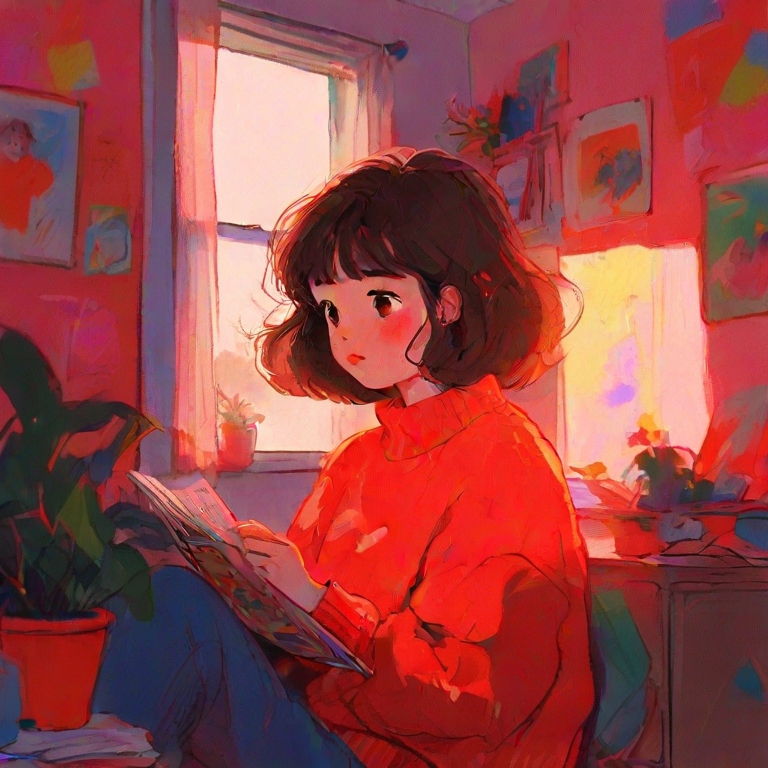
【細節分析】
- 人物細節:增加了對女孩頭髮顏色和服裝的描述,這有助於AI更準確地渲染人物外觀。
- 環境描述:描述房間為“cozy and well-lit”,增強了場景的氛圍感。
- 活動和風格細節:指定漫畫書是“colorful”,並確認了圖像的風格為“cartoon-style”,進一步明確視覺效果的期望。
【整體建議】
- 確保每個添加的詞都增加了對最終圖片生成的具體貢獻。
- 保持平衡,避免過多細節導致主題模糊或AI混淆。
- 使用逗號和連接詞合理分隔不同的描述部分,以保持清晰的邏輯流。
調整提示詞的權重
想像你在告訴一位畫家畫一幅畫,你會特別強調你最想突出的部分,比如說“我想要畫面中的女孩非常突出”。在使用Leonardo.Ai時,你也可以這樣做,通過給予某些詞更多的“重視”或者“降低”其影響力。這就是所謂的設置“權重”。
如何設置權重?
- 符號控制:使用特定符號可以增強或降低詞彙的重要性。
- (:):倍數調整,例如 (dog:2) 將 “dog” 的權重增加至2倍。
- ():權重增強1.1倍,括號內次數越多,效果越強。
- []:降低0.952倍,用來減弱某個提示的作用。
以這段提示詞為例
a cute girl with short brown hair, wearing a bright red sweater, in her cozy, well-lit room, reading a colorful comic book, cartoon-style illustration
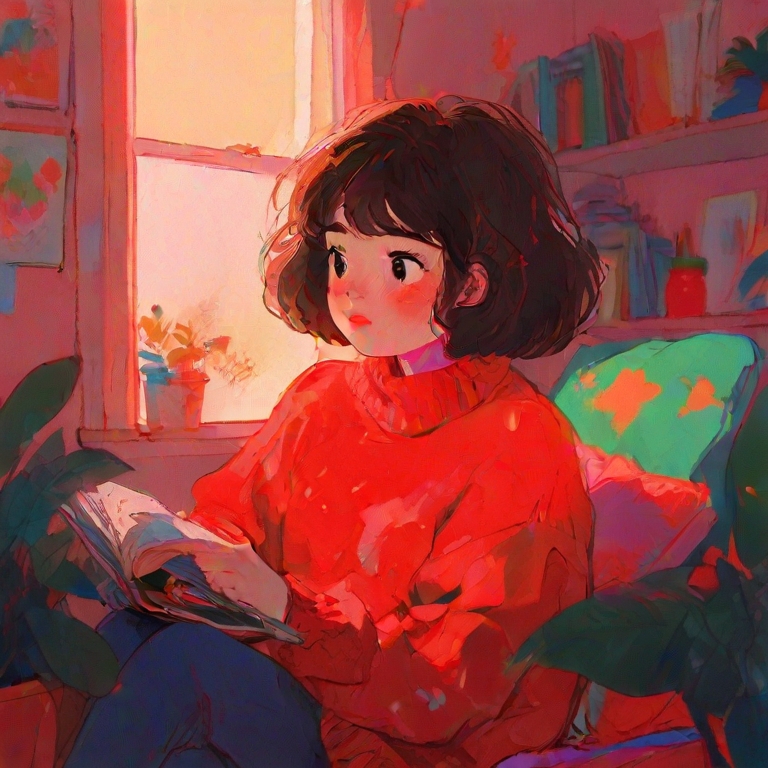
【技巧一】增加重點權重
- 強調人物:將女孩的描述放在前面,使用重複的括號來增加其重要性。例如:
(((cute girl with short brown hair))):2, wearing a bright red sweater, in her cozy, well-lit room, reading a colorful comic book, cartoon-style illustration
這樣設定後,cute girl with short brown hair 的特徵在圖像中會更加明顯和集中。
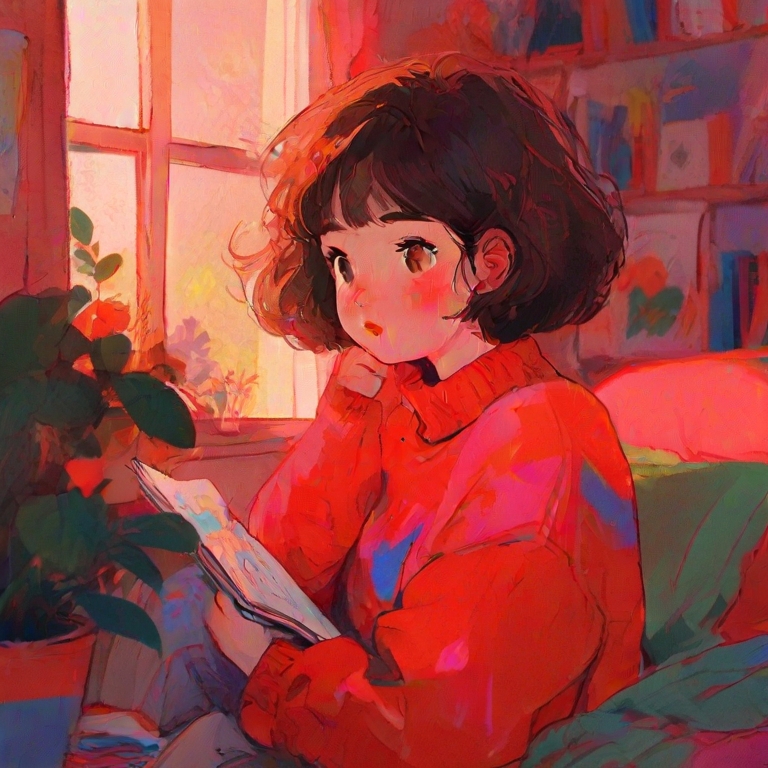
【技巧二】調整場景描述的權重
- 輕微降低場景的影響:為了使背景不過於搶眼,可以對房間的描述使用輕度降權符號。
例如:
cute girl with short brown hair, wearing a bright red sweater, [in her cozy, well-lit room], reading a colorful comic book, cartoon-style illustration
使用方括號後,in her cozy, well-lit room 在整體圖像中的影響將略為降低,使得焦點更集中於人物和其正在進行的活動。
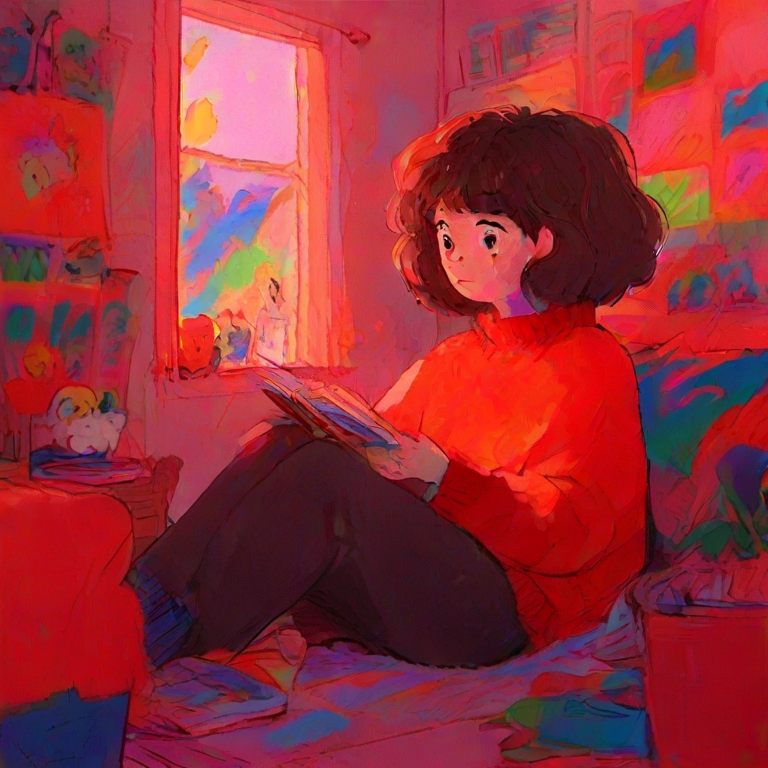
【技巧三】強化風格元素
- 卡通風格強調:為了保證生成的圖像符合卡通風格,可以對“cartoon-style”使用增強的括號。
例如:
cute girl with short brown hair, wearing a bright red sweater, in her cozy, well-lit room, reading a colorful comic book, ((cartoon-style:2)) illustration
這種設定使得“cartoon-style”在視覺表現上變得更加顯著。
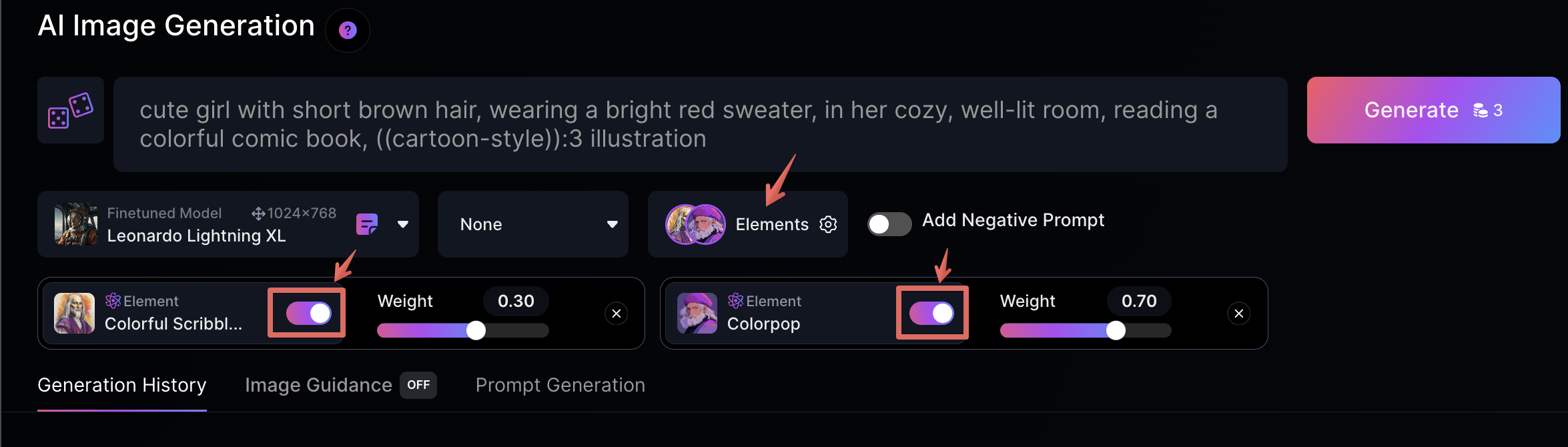
若發現效果不佳,可以嘗試調整Elements元素的比例,或是加大”倍數”、括號多一點增強權重。
負面提示詞(Negative Prompt)
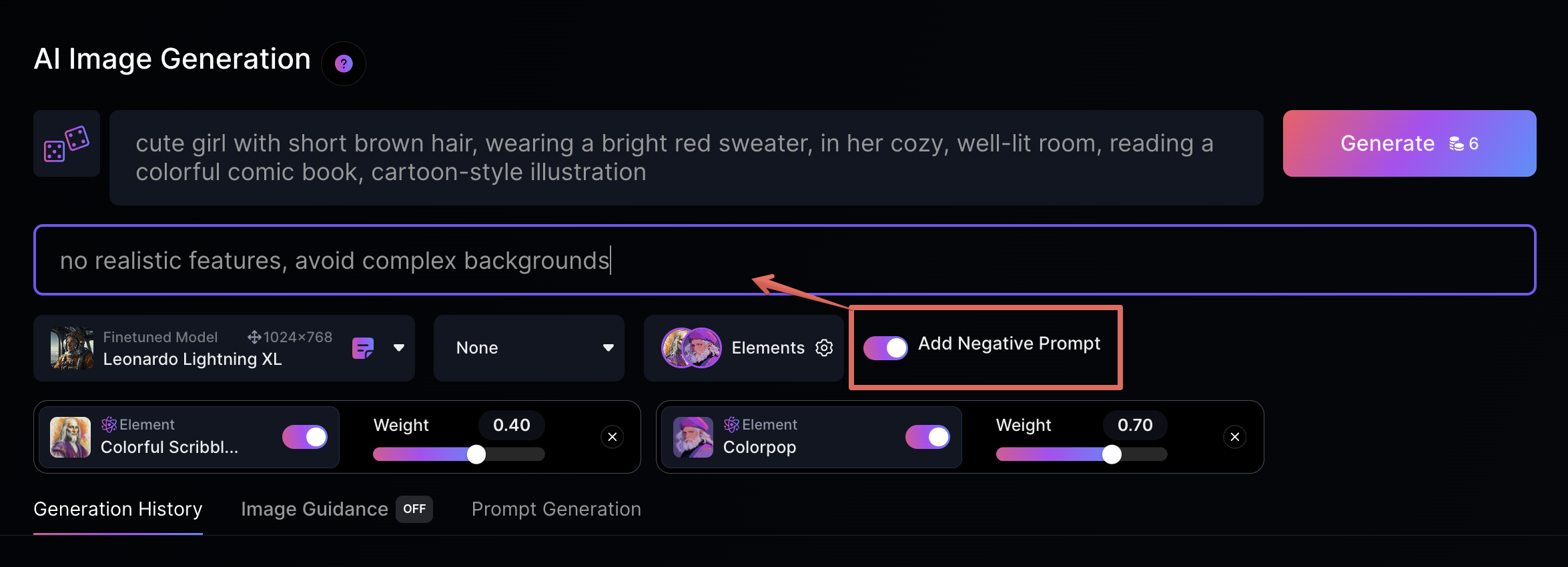
- 這功能會讓AI嘗試排除某些不希望出現的內容。點擊「Add Negative Prompt」以開啟輸入欄位,並添加不想要的元素。例如:「male, boy」可以降低男性出現在圖像中的比例。
以這段提示詞為例
a cute girl with short brown hair, wearing a bright red sweater, in her cozy, well-lit room, reading a colorful comic book, cartoon-style illustration
假設:不希望出現過於現實的人物描繪或不符合卡通風格的元素,可以添加這樣的負面提示詞
no realistic features, avoid complex backgrounds
當詞彙拼寫錯誤時
- 拆分詞組:AI在遇到拼寫錯誤時會將詞組拆分並理解為已知單詞,如果錯誤拼寫導致意外的生成結果,請再次檢查並修正拼寫。
腦袋空白?點[骰子]隨機產生或美化你的咒語!
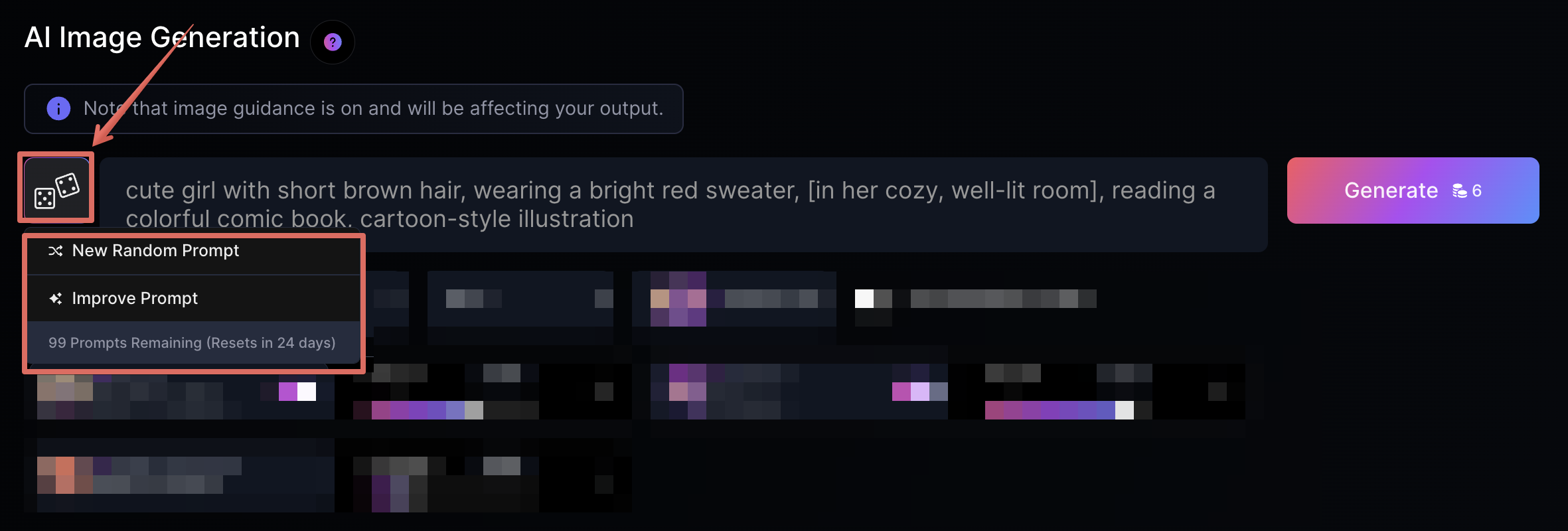
- 隨機提示:若不確定該用什麼提示詞,點擊輸入框旁的”骰子”獲得隨機建議或美化現有提示詞。
- New Random Prompt:生成新的隨機提示詞。
- Improve Prompt:優化現有的提示詞結構。
希望這篇教學能幫助你更熟悉Leonardo.Ai的咒語使用方法,現在就開始嘗試做出符合你想像的圖片吧!如果有任何問題或是需要協助,歡迎在留言區告訴我們喔!我們下一篇見!